The Safety Technology Platform We're Building for You
Digital tools to connect your safety program from the field to the office — a client portal, employee app, QR equipment tracking, and analytics. We'll be straight with you: this is rolling out now alongside our monthly programs, and early clients get first access and help shape it.
See the Client Portal
Your safety program headquarters — from cert-gated scheduling to QR equipment inspections and one at-a-glance dashboard. Here's what it actually looks like.
Demo data.
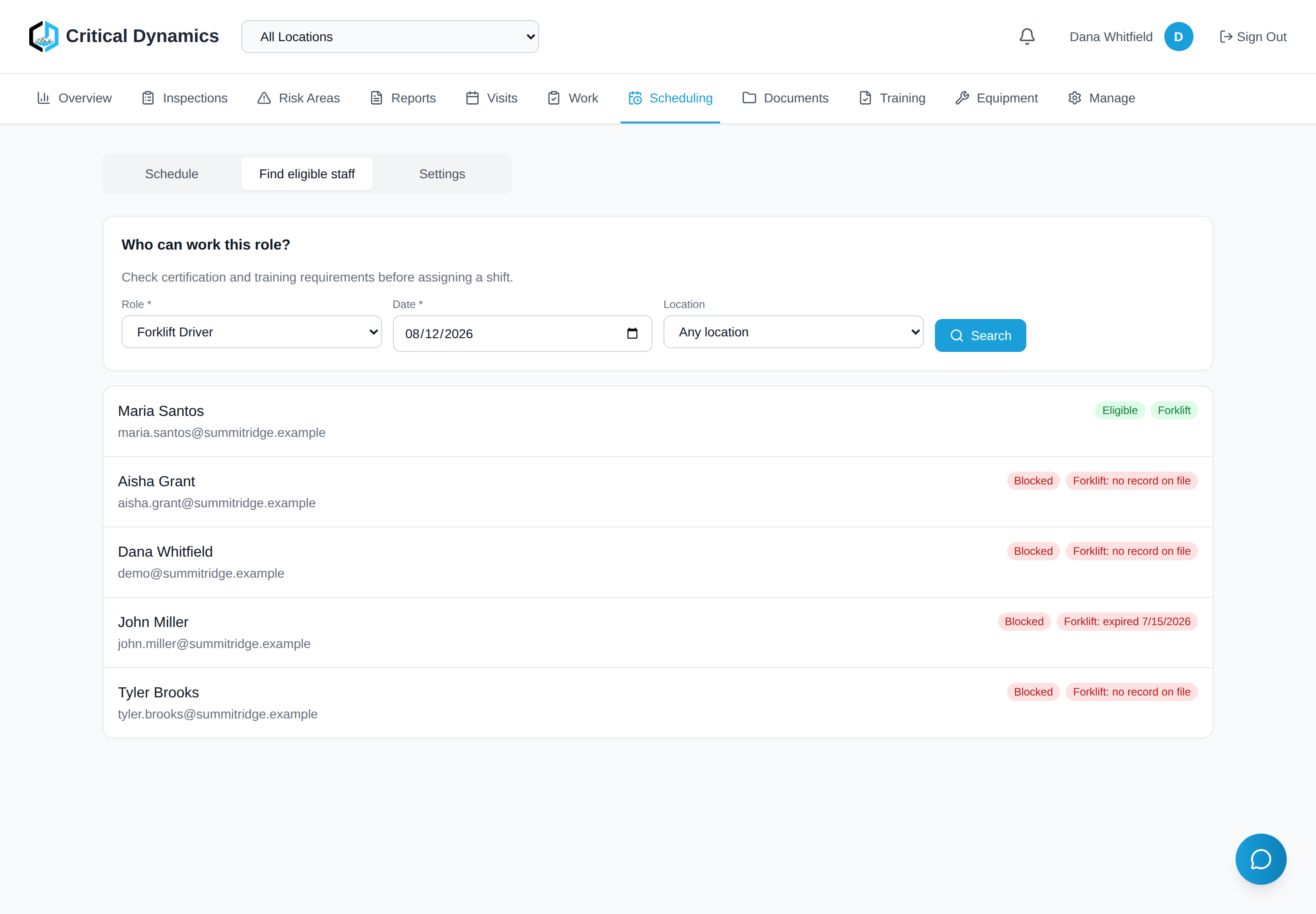
Built to flag lapsed certifications before a shift is scheduled.
Ask “who can run the forklift tomorrow?” and the portal checks the certification dates your team has entered, in real time. Lapsed forklift cert? The worker is flagged, with the expiry date right there. Few safety tools offer this control.
Certification data is entered and maintained by your team. Your organization remains responsible for its training and qualification decisions.
Demo data.
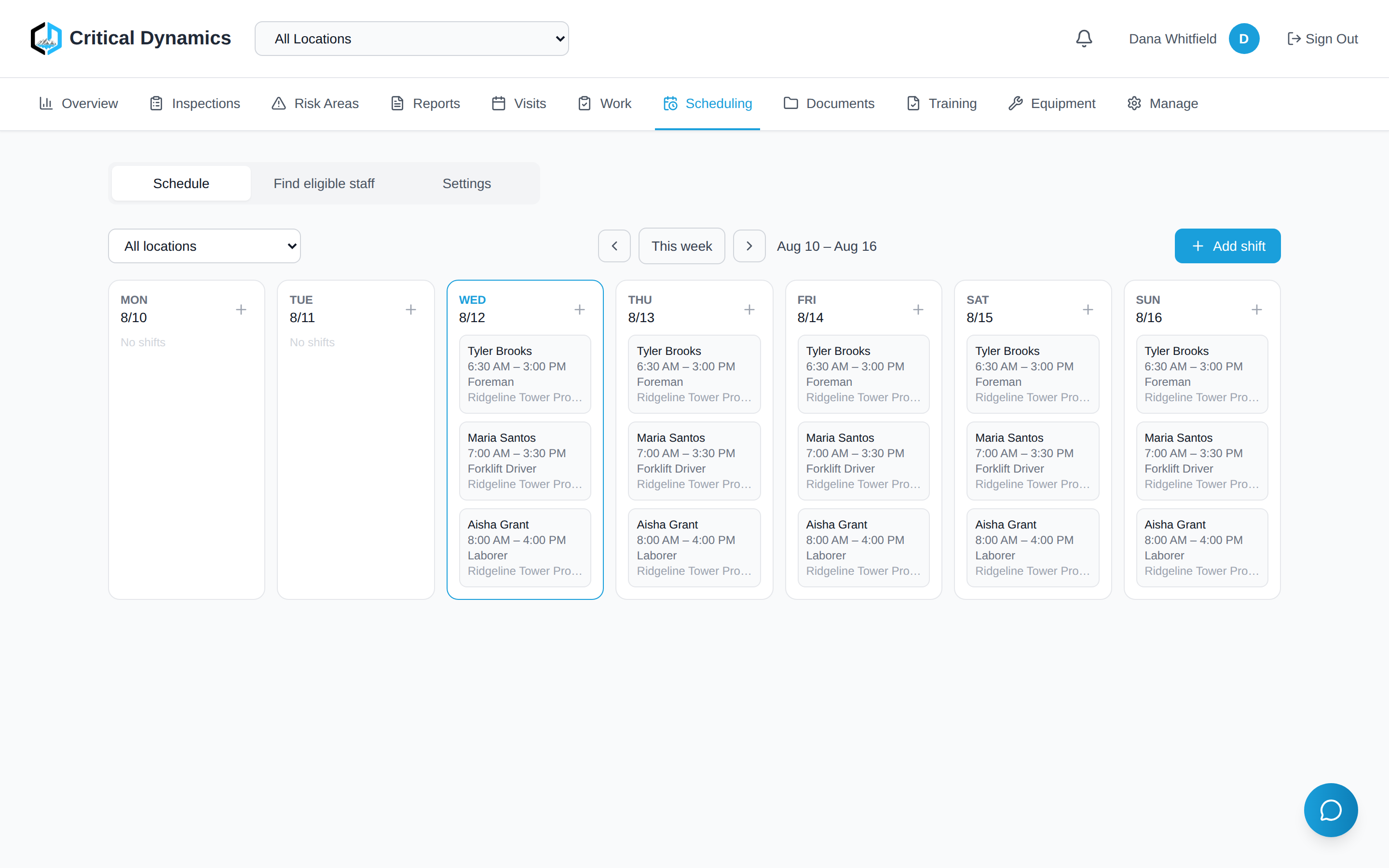
Schedule the week in minutes.
Build the whole week by location on a drag-and-drop calendar. Employees are only bookable where they’re actually assigned, and shift reminders go out to the people who are really working — not the whole roster.
Demo data.
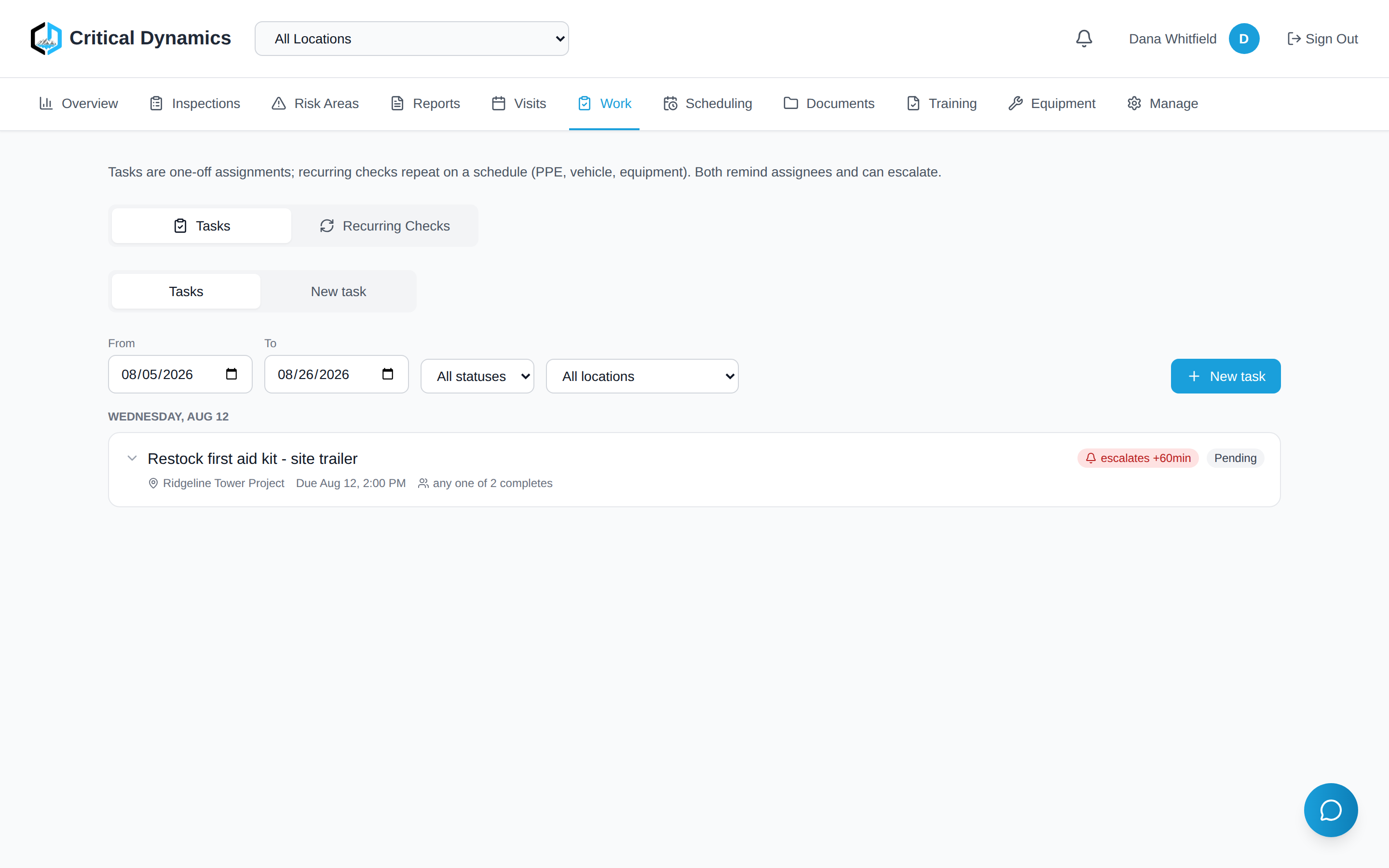
Tasks and recurring checks in one place.
One-off tasks live right next to recurring PPE, vehicle, and equipment checks. Every item has a due time, an owner, and an escalation path — so overdue items are visible to the people who own them.
Demo data.
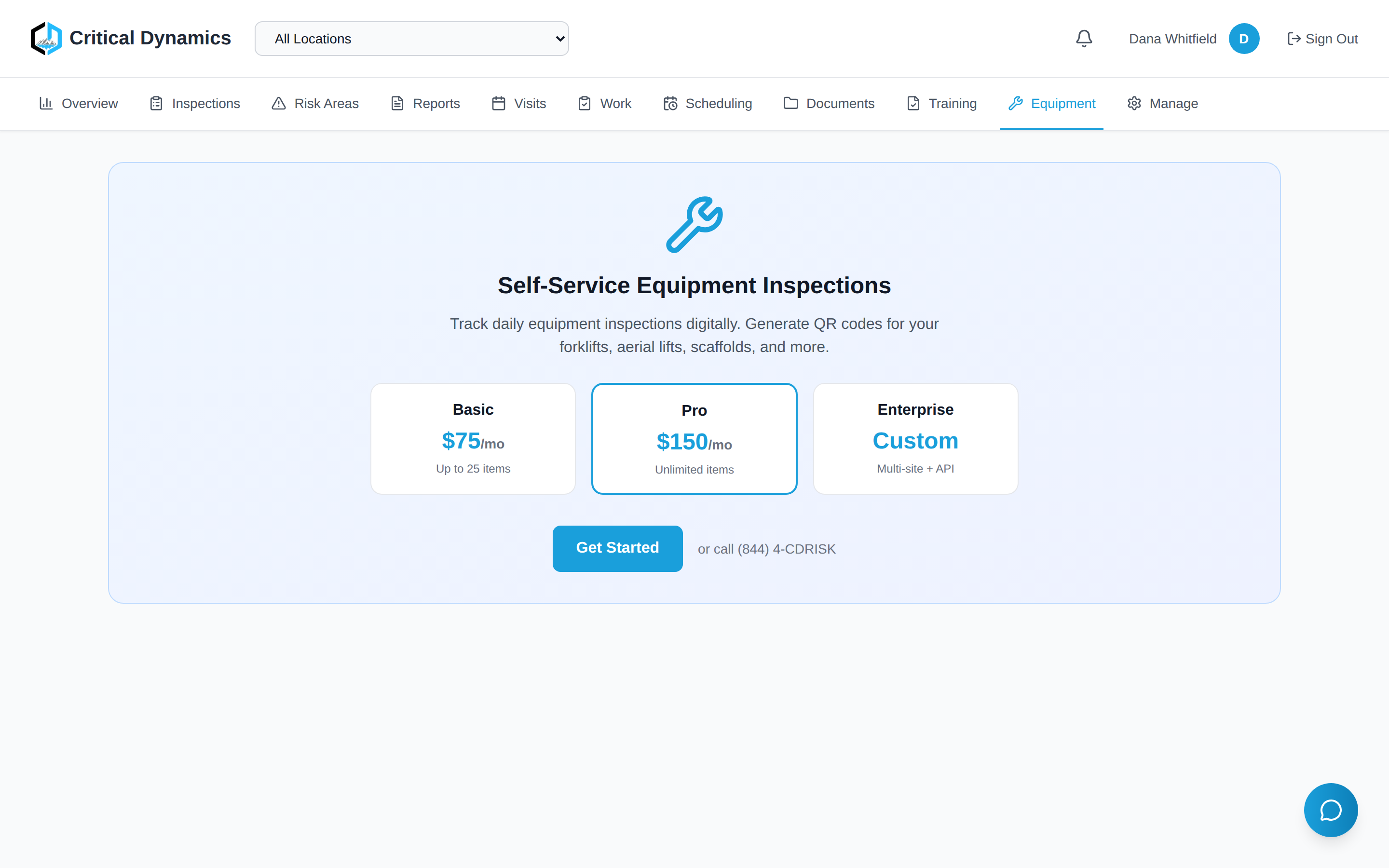
Every piece of equipment, one QR scan away.
Give every forklift, lift, and extinguisher its own QR code. Scan it to run an inspection against your own custom forms and pull up the full inspection history on the spot.
Demo data.
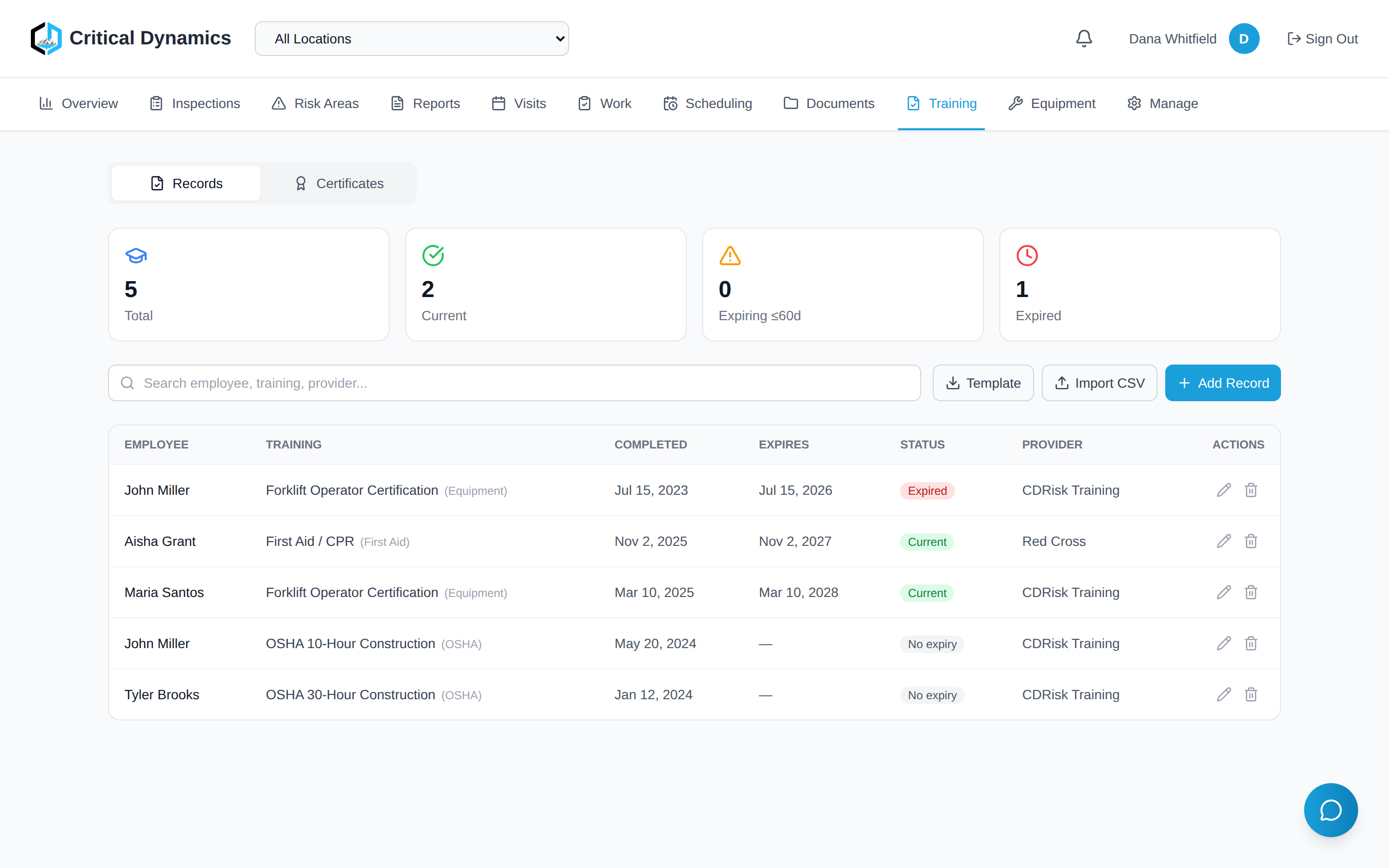
Renewal alerts ahead of every expiration.
Keep every training record and certification in one roster with expiry dates front and center. The portal flags renewals ahead of the dates you enter, so an expiring card gets noticed before it becomes a problem.
Demo data.
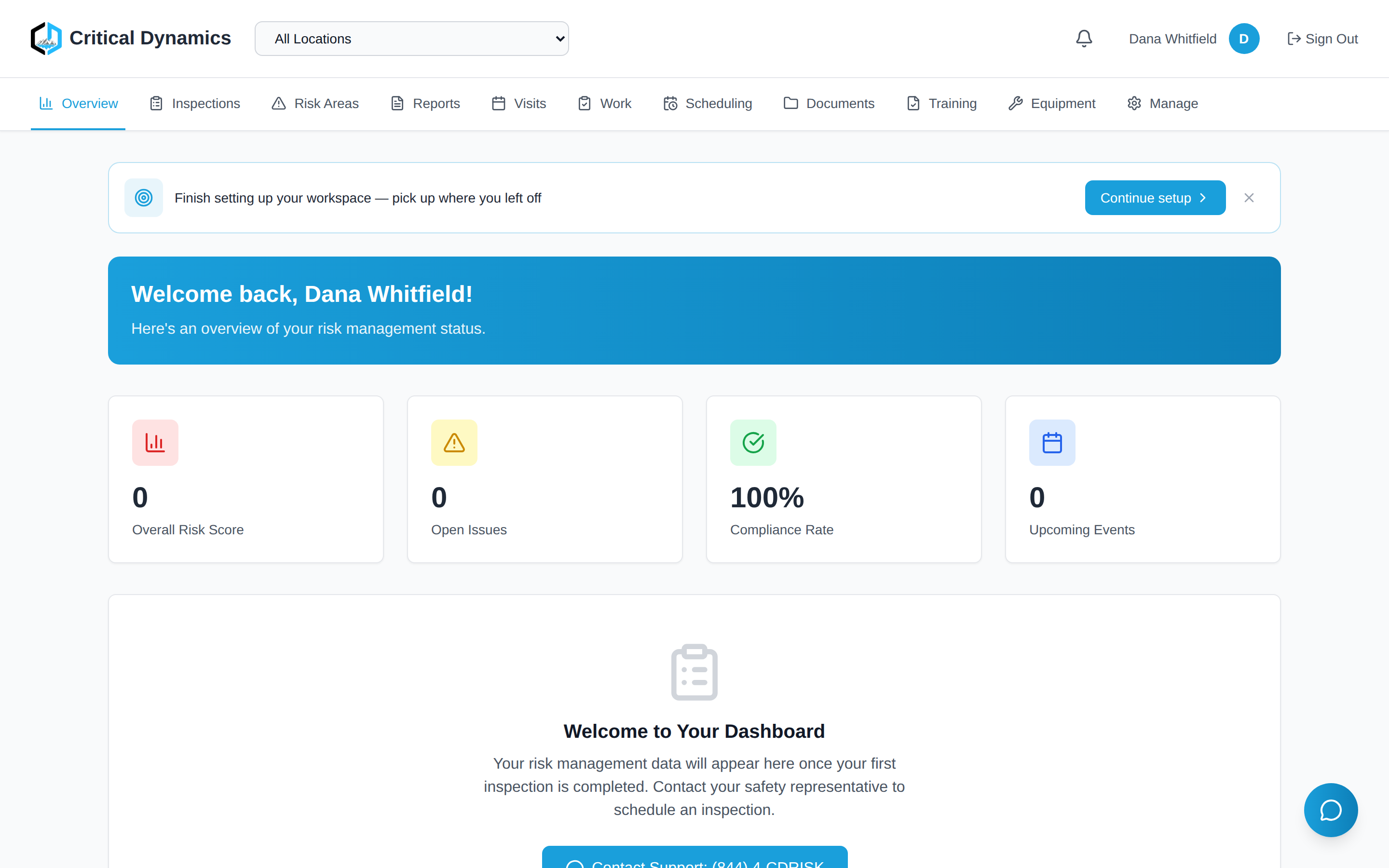
One dashboard for your whole safety program.
See your risk score, open issues, and compliance percentage the moment you log in, with recent activity streaming underneath. The whole program, at a glance, from the field to the front office.
Employee Safety App
The employee app is included for unlimited workers on every plan — no per-seat cost.
Put safety tools in every employee's pocket. Daily checklists, incident reporting, training, permits, and emergency contacts — designed for the field, not the office.
Daily Safety Checklists
Mobile-friendly daily site checks with pass/fail scoring and automatic supervisor notifications.
Incident Reporting
Report injuries, near misses, hazards, and property damage with photo evidence — even offline.
Equipment Scanning
Scan QR codes on equipment to log daily checks and view inspection history.
Safety Meeting Sign-In
QR-based attendance verification for toolbox talks and safety meetings.
Push Notifications
Real-time alerts for task assignments, permit approvals, and safety announcements.
Training & LMS
Complete assigned training courses, view certifications, and track progress — all from your phone.
Offline Support
Complete checklists and draft reports without cell service; they upload automatically when the device reconnects.
Dark Mode
Easy on the eyes for early morning shifts and low-light environments.
Coming to iPhone, iPad, and Android.
Free for unlimited workers on every plan — no per-seat cost. White-label puts your name and logo on it instead of ours.
Scan a real equipment QR code
This is exactly how it works in the field. Point your phone camera at a code below — or tap it on desktop. One shows what a worker sees; the other lets you run a full inspection yourself. Demo entries are not saved to any account.

See a piece of equipment
The public view a phone lands on after scanning a label — item details, service dates, and the last 12 months of inspection history.
Or tap to open
Run an inspection yourself
A web version of the field inspection form. Mark each item pass/fail, add a note, and submit — you'll see the result. It's a sandbox; nothing is stored.
Or tap to try itBuilt to Connect Everything
How it fits together: inspector findings flow to client portals, employee reports trigger supervisor tasks, and equipment QR codes link inspection history to maintenance schedules. One platform, zero data silos.
Real-time
Inspections
Instant
Reports
24/7 access
Compliance
On-demand
Training
Want in early? Join an upcoming monthly program and you'll be among the first to use it — and help shape what it becomes.
Request Early Access